

AI Hairstyle Changer: Try On Hairstyles With Your Photo
Wondering how a new haircut would look on you? Upload a selfie and our AI hairstyle changer puts any of 300+ real salon cuts on your own face in about 10 seconds: bobs, pixies, long layers, curls, fades and more. Pick a style below, add a hair color if you like, and compare different looks before you book your stylist.
How to Try On Hairstyles Online in 3 Steps
No download and no sign-up for your first look. The whole thing takes about 30 seconds.
Upload Your Picture
Take a selfie or upload a front-facing photo. Tie your hair back so the AI can see your hairline.
Pick a Haircut and Color
Filter by length, texture or bangs, then choose a cut. Add one of 9 hair colors or keep your own.
Generate and Compare
See the new hairstyle on you in seconds. Save your favorites and show them to your stylist.
A Realistic Haircut Simulator, Not a Social Media Filter
A typical hairstyle filter pastes a flat wig over your photo. HairHunt's AI haircut generator rebuilds the hair around your real face shape, hairline and head, so the new cut looks like you after a salon visit.
Your Face Stays Yours
No skin smoothing, no slimmer jaw, no bigger eyes. Only your hair changes, so you judge the haircut and not a beauty filter.
300+ Real Salon Haircuts
Every cut in the catalog is chosen by the stylists behind The Right Hairstyles, so you only see haircuts a stylist can actually recreate.
Cut and Color in One Preview
Try a new haircut in your natural shade or in one of 9 colors. For 136 more shades, open the AI hair color changer.
Every Hair Type
Straight, wavy, curly and coily hair, plus braids, locs and afros. The AI keeps your texture believable instead of flattening it.
Results in Seconds
Each AI hairstyle is ready in about 10 seconds, so you can compare a bob, a lob and long layers on the same photo in under a minute.
Private by Default
Your photo is used only to generate your result and isn't stored unless you create an account. It is never shared or sold.
Popular Hairstyles to Try On
Not sure where to start? These are the cuts people ask about most before a salon visit. Tap one to see it on your photo.
Women's haircuts

Classic Bob
Chin-length and easy to style.
Try it on →
Pixie Cut
Short, bold and low-maintenance.
Try it on →
Long Layers
Movement without losing length.
Try it on →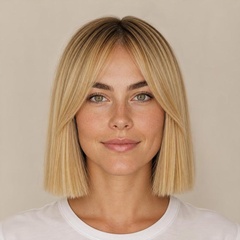
Bob With Curtain Bangs
Soft fringe that frames the eyes.
Try it on →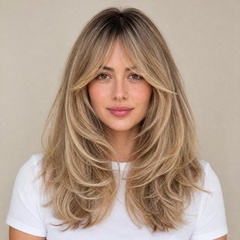
Butterfly Cut
Face-framing layers with volume.
Try it on →
Wavy Shag
Textured, choppy and effortless.
Try it on →Men's haircuts
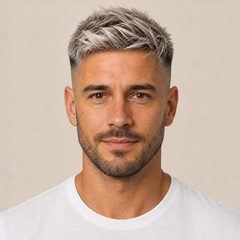


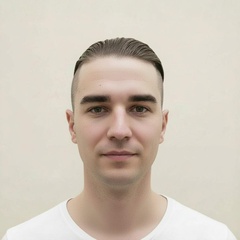
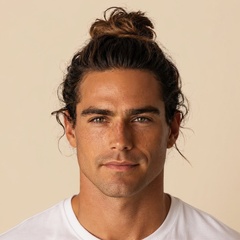
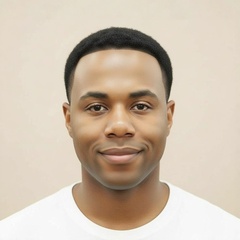
Stylist advice
Which Hairstyle Suits Your Face Shape?
Face shape is the best place to start when you try hairstyles on your face. Use these pointers to build a shortlist, then preview each one above. Not sure of your shape? Take the 1-minute hairstyle quiz.
Oval Face
Balanced proportions suit almost any cut. Women can go from a pixie to long layers; men can try a quiff, side part or buzz cut.
Round Face
Add height and length: a lob below the chin, long layers or side-swept bangs. For men, volume on top with a pompadour or textured quiff.
Square Face
Soften a strong jaw with movement: a wavy shag, curtain bangs or layers around the jawline. Men look great with a textured crop or longer flow.
Heart Face
Balance a wider forehead and narrow chin with a chin-length bob, a deep side part or curtain bangs. Men can soften it with a medium fringe.
Long Face
Add width, not height: blunt bangs, soft waves or a bob that ends at the chin. Men should skip tall pompadours and try a Caesar or crew cut.
Diamond Face
Show off cheekbones while adding fullness at the forehead and chin: a pixie with a side-swept fringe, a layered lob or a butterfly cut.
Tips for a More Realistic Hairstyle Preview
A good photo makes the biggest difference to how true-to-life your preview looks.
- 1Face the camera straight on. Hold the phone at eye level, with your whole face and neck in the frame.
- 2Use soft, even daylight. A window in front of you works best. Avoid harsh overhead light and strong shadows.
- 3Pull your hair back. Tie it back or tuck it behind your ears so the AI can see your hairline, ears and jaw.
- 4Remove glasses, hats and headbands. Anything around your head makes it harder to fit the new cut.
- 5Skip beauty filters. Turn off portrait and beauty modes so the preview shows the real you.
- 6Compare three to five cuts. Save the best results and bring them to your stylist as references.
Use It in Your Browser or in the App
This page is the quickest way to test a haircut: it runs in any browser on your phone or computer. If you want to keep every look in one place, the HairHunt app does the same on iPhone and Android.
Online hairstyle try-on
- Nothing to install, works on desktop and mobile
- First AI hairstyle free, no sign-up
- Best for a quick check before a haircut
HairHunt app
- All your try-ons and favorites saved in one gallery
- Hairstyle and hair color tools side by side
- Easy to show your stylist right in the chair


FAQ About the AI Hairstyle Changer
See Your Next Haircut Before You Book It
Pick a style, upload a selfie and see it on you in seconds. Your first one is free.
Ready to see how it looks on you?